
Where films take shape
Plan shots, organize your media, craft your prompts, and direct your film.
A look inside the portal
Screenshots of the main tools — for viewing only.
-
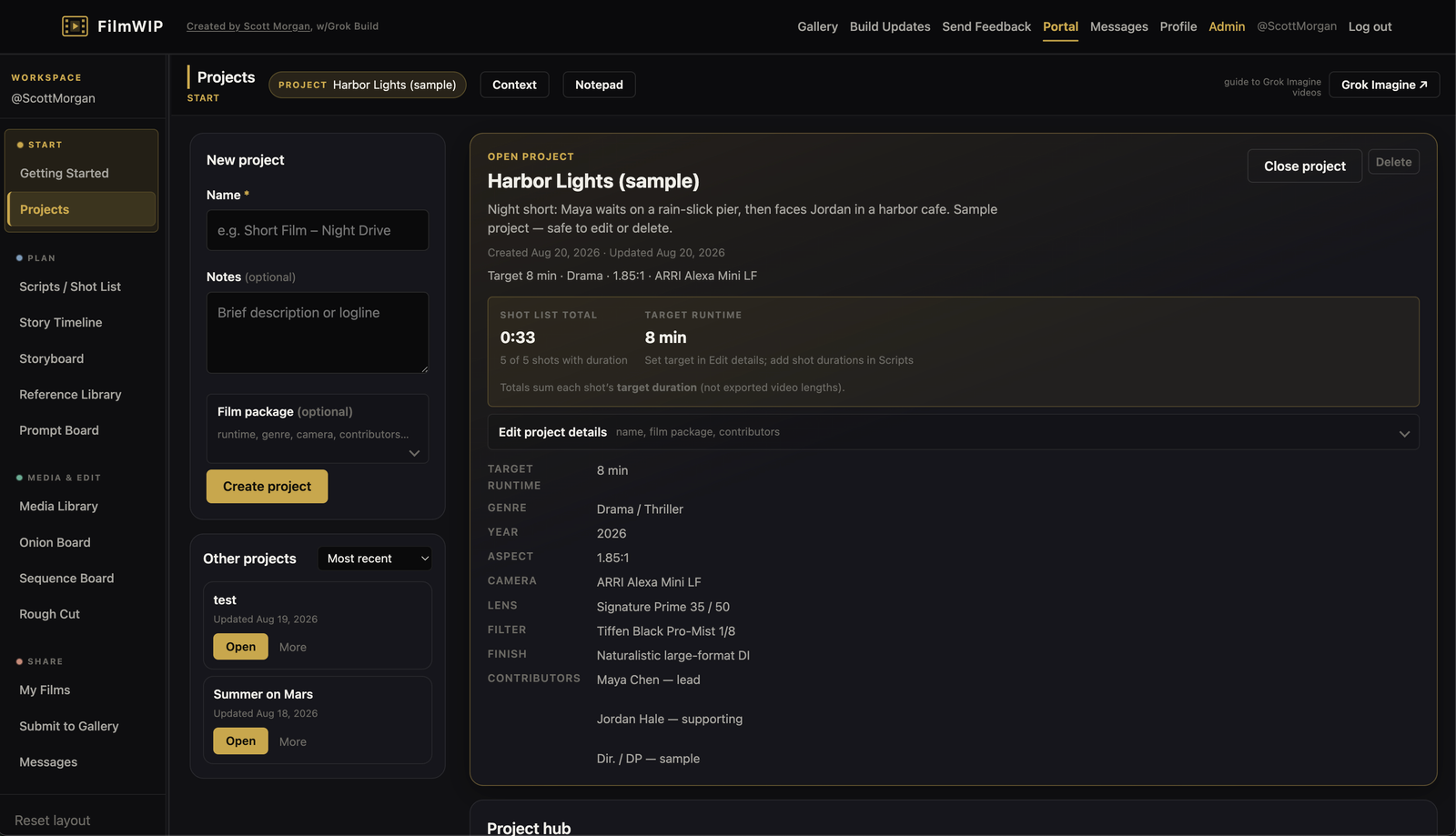
Projects -
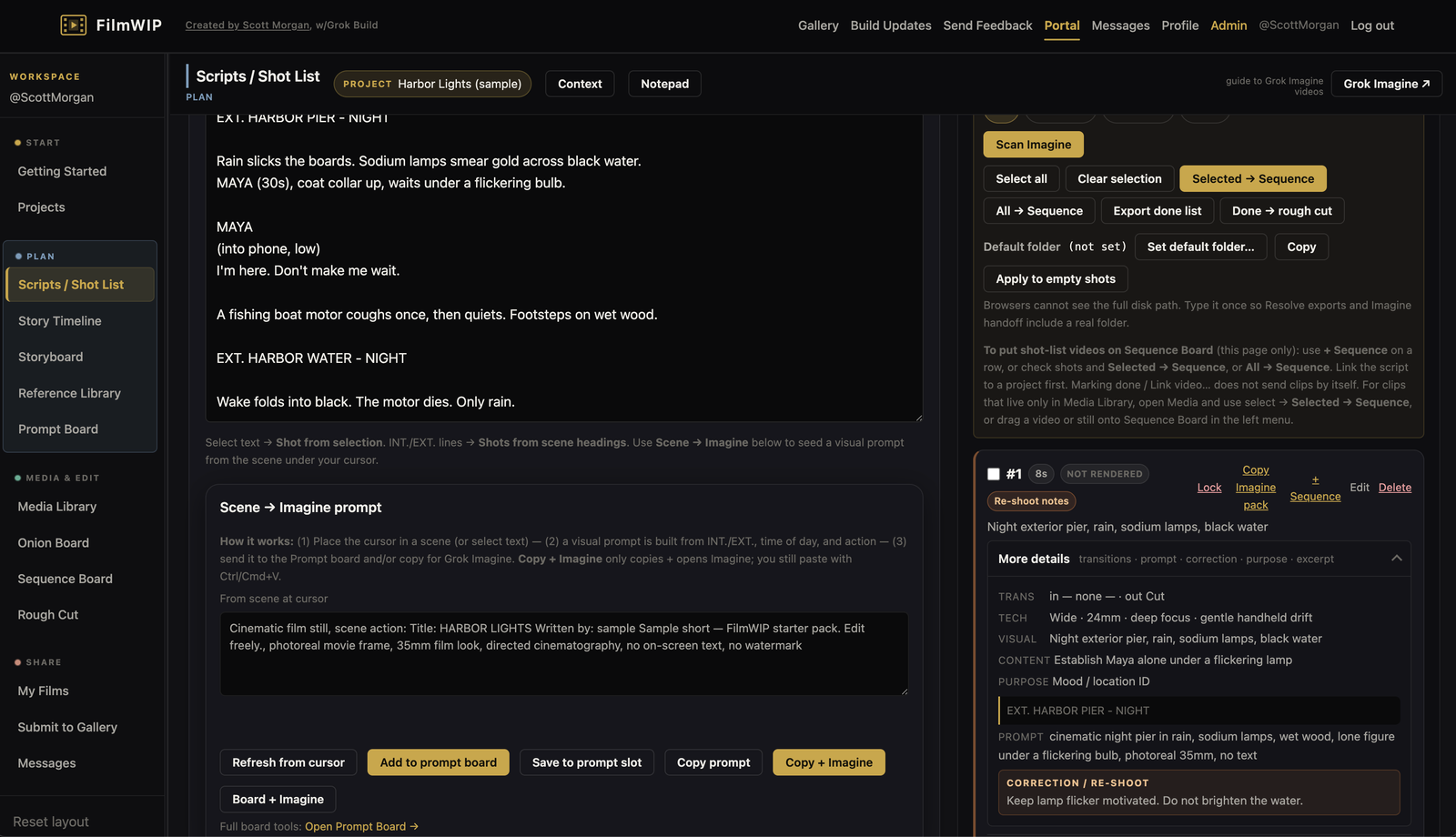
Scripts / Shot list -
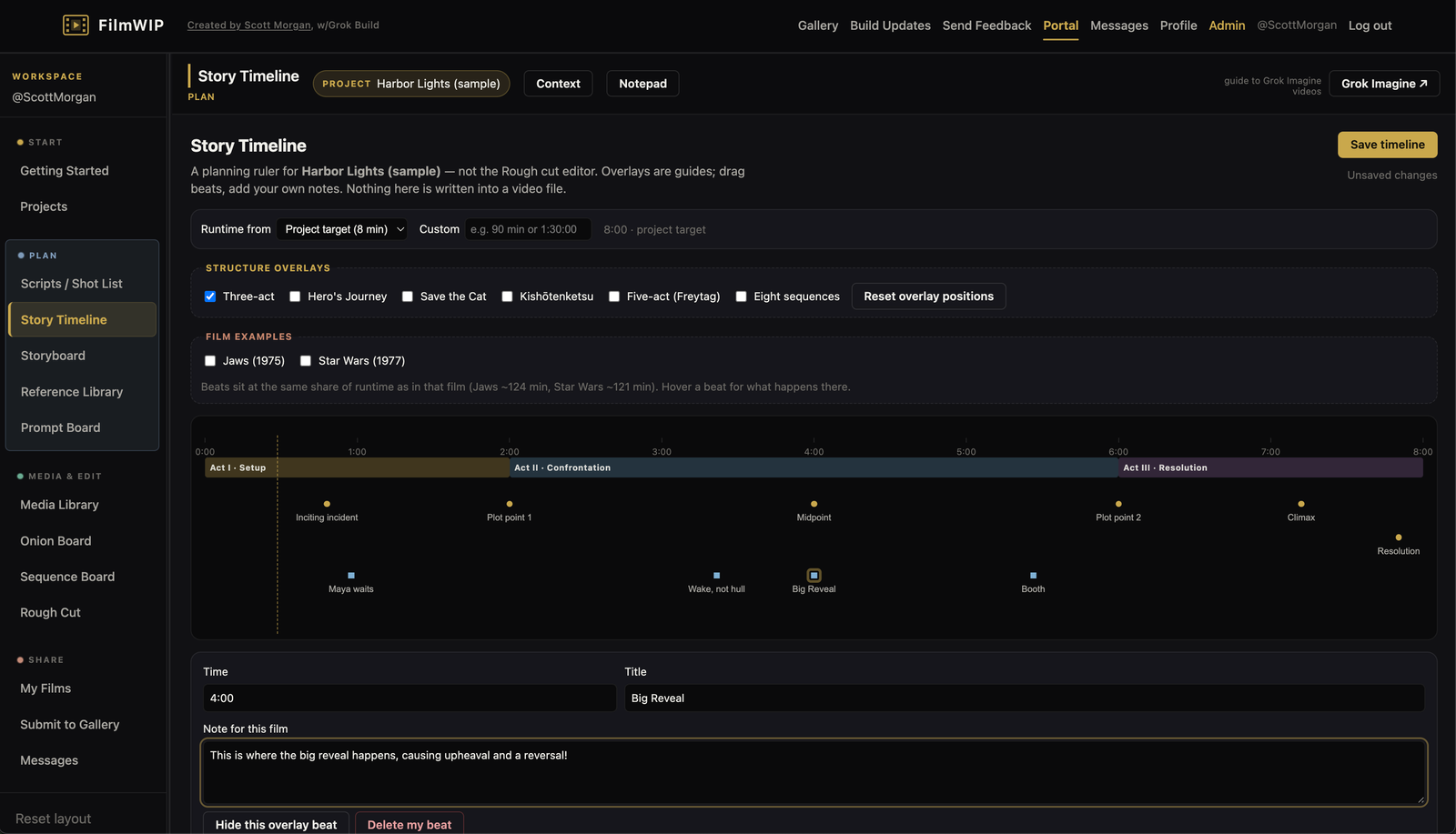
Story Timeline -
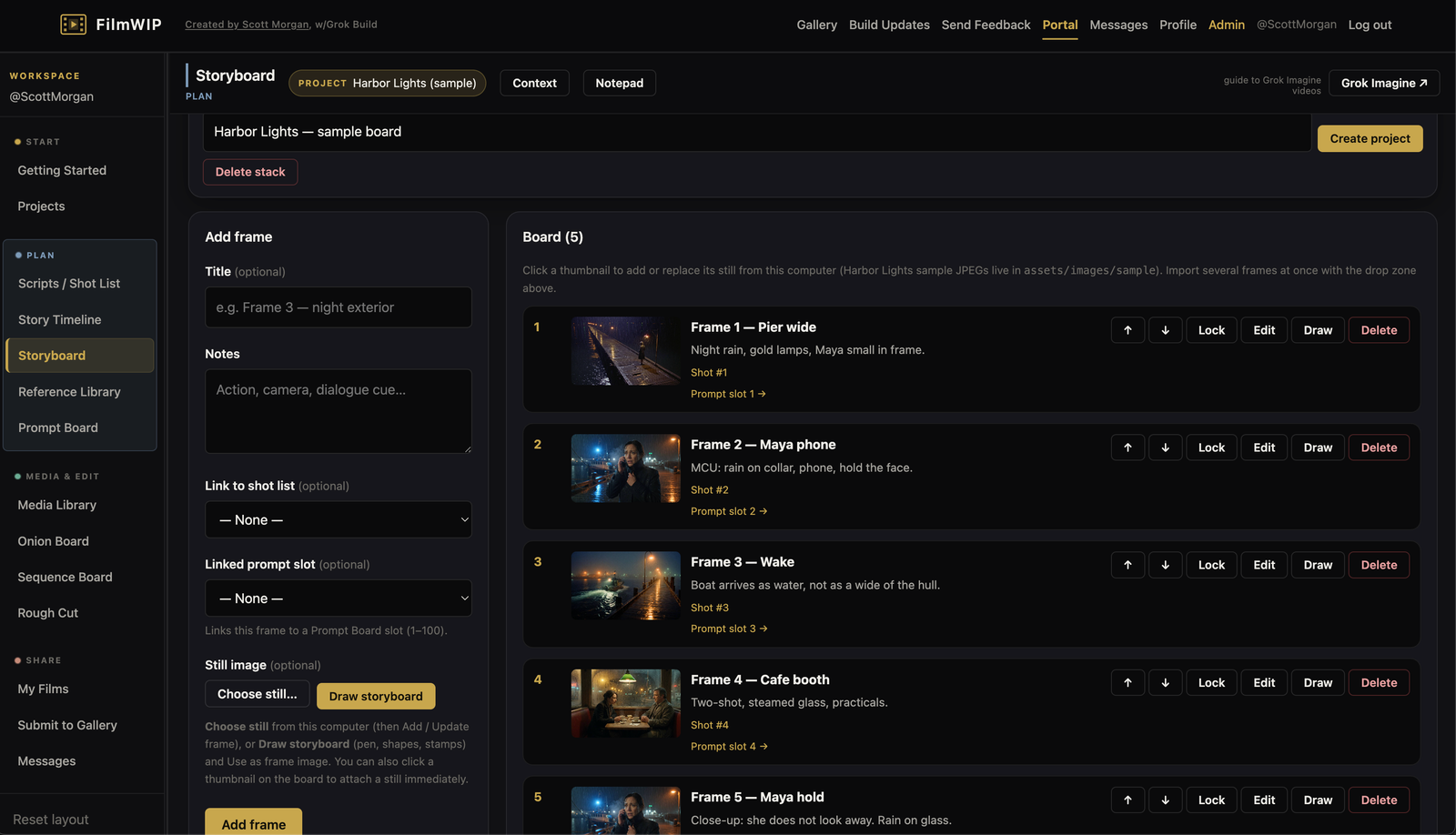
Storyboard -
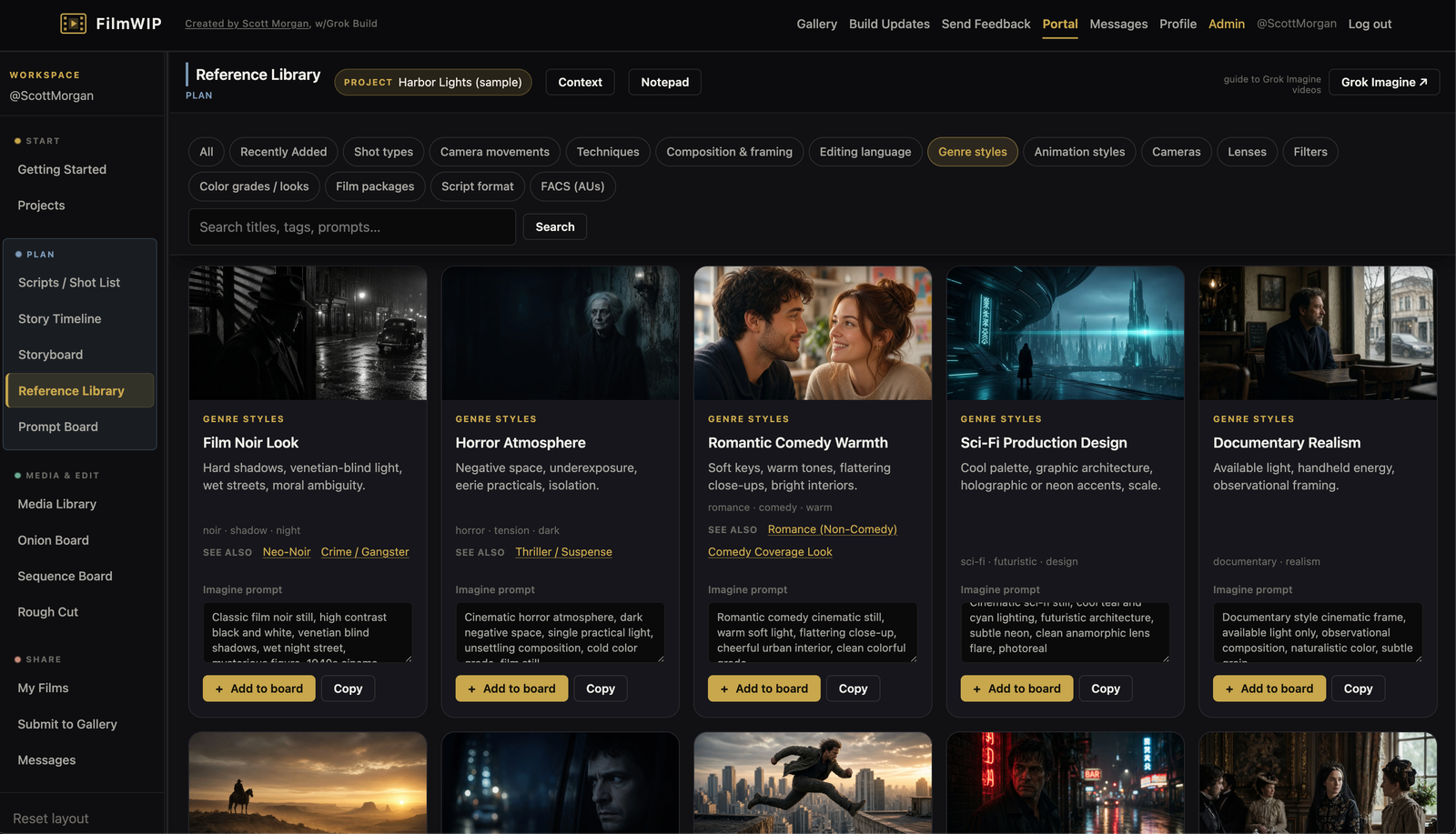
Reference Library -
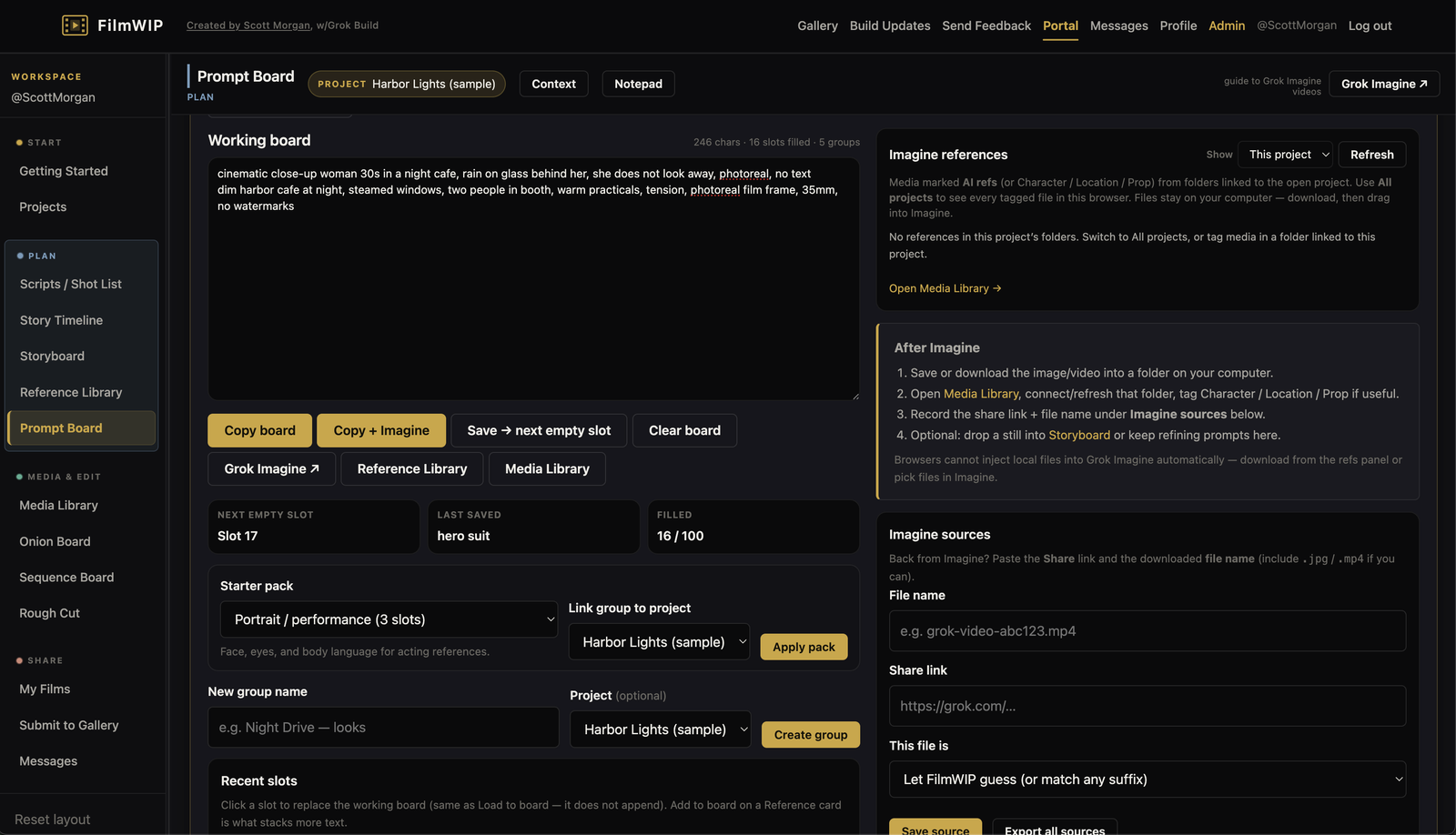
Prompt Board -
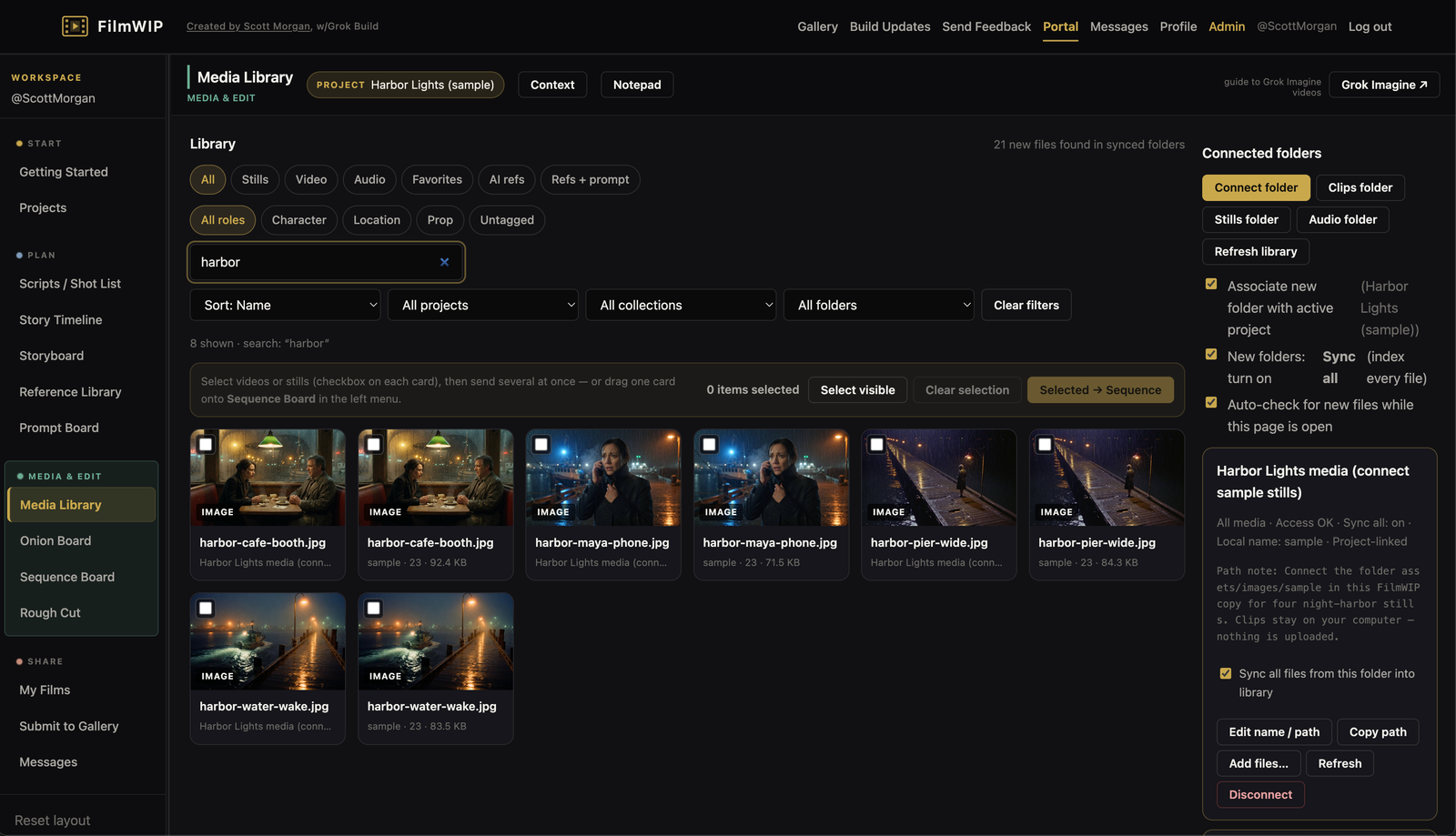
Media Library -
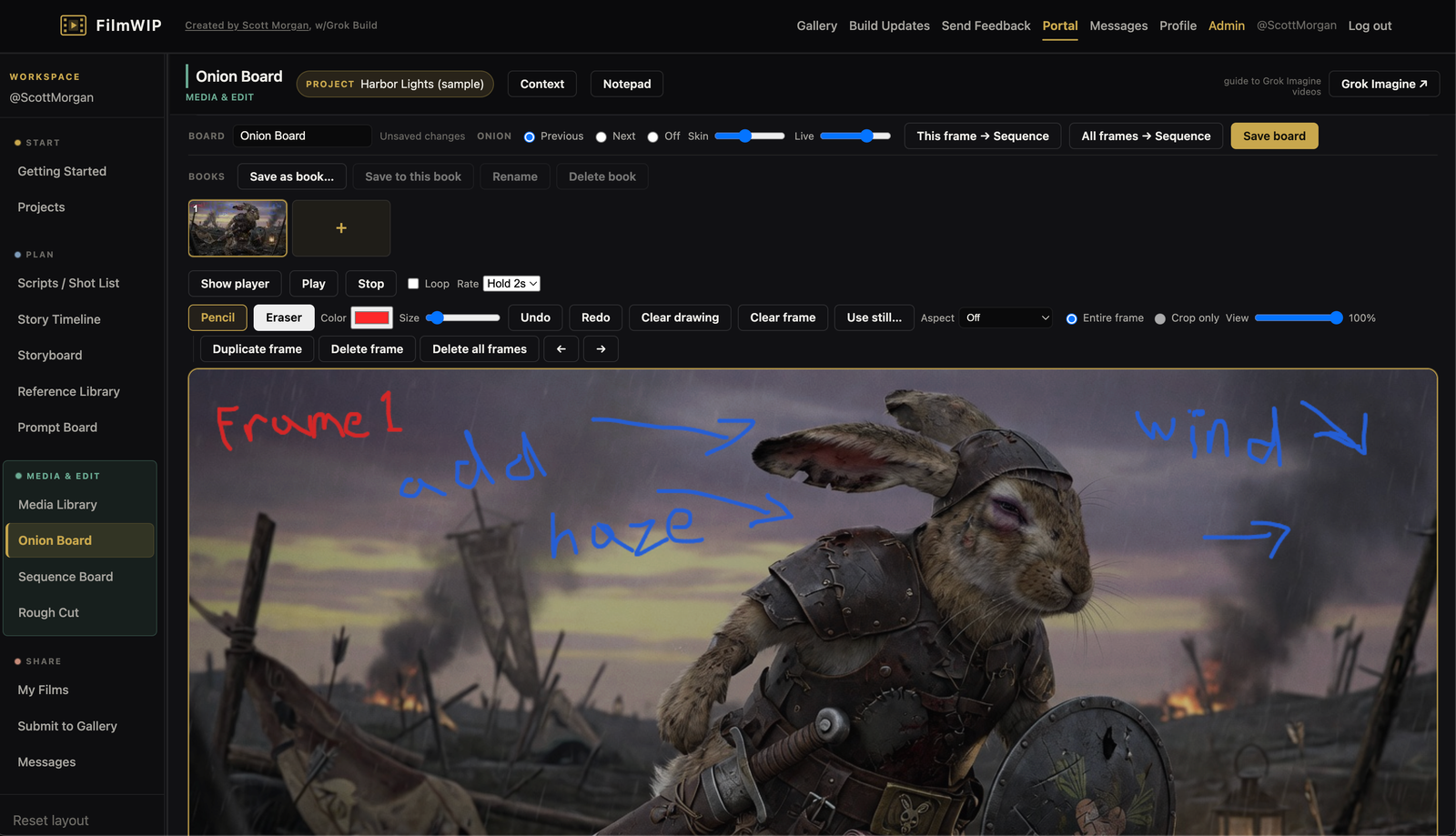
Onion Board -
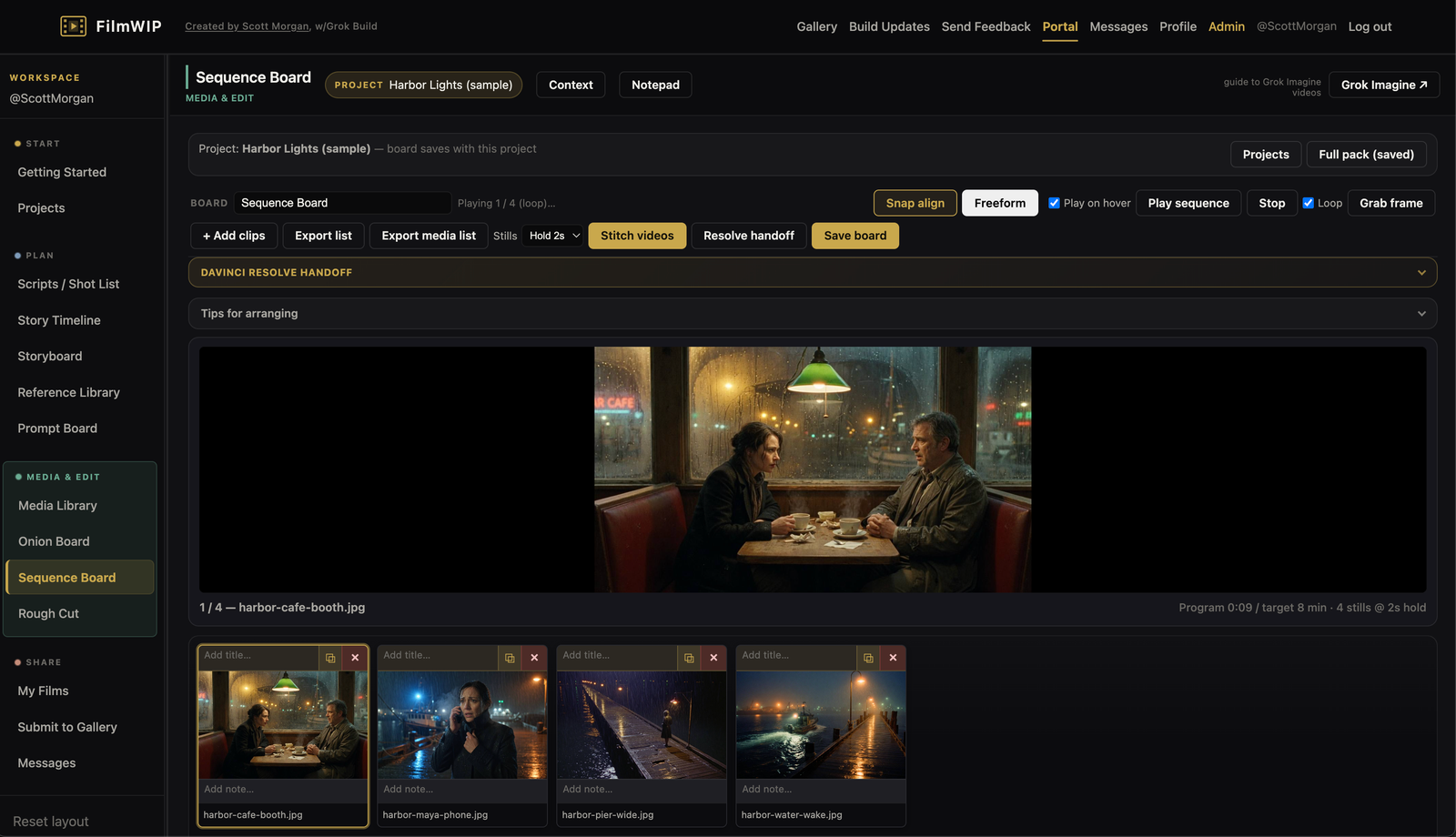
Sequence Board -
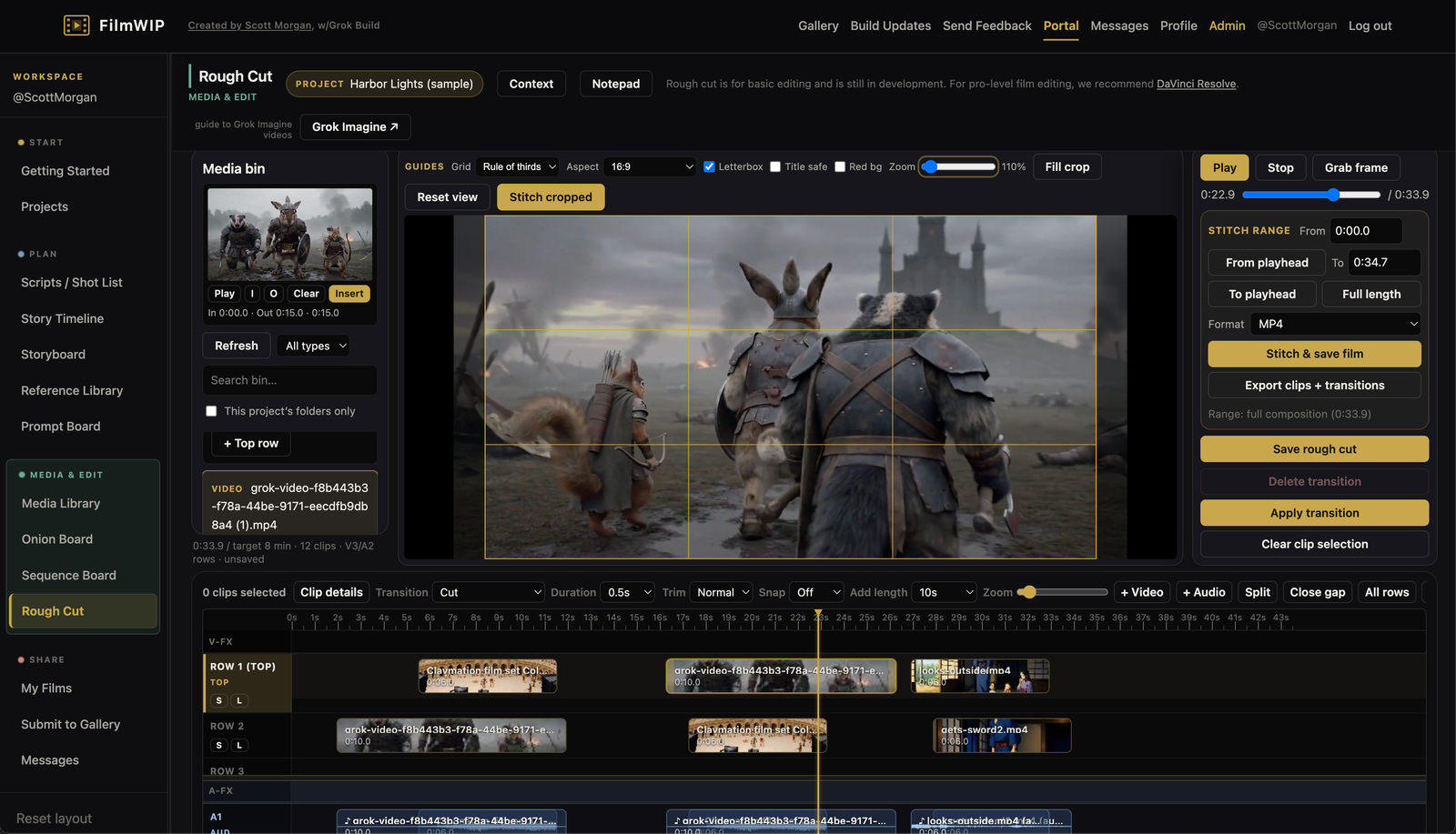
Rough Cut
What you can do on FilmWIP
Free to browse the public side. Register for a free private portal that helps you plan films, work with media on your own computer, and share films when you’re ready — email is optional and not required. We will not email you unless you opt in later.
Simple path you don’t need every tool
FilmWIP can stay light. A short idea can follow four moves — no full script or Media folders required on day one. On the Sequence Board you can play order, Stitch videos into one local file (hard cuts), or Export media list (paths + durations). Rough cut adds multi-row layers (top wins for picture and sound), live program preview, transitions, stitch of the full program, and export of clips plus transition maps — without destructive cuts to source media.
After you register, open Portal → Getting started for the same four-step recipe (and guided walkthroughs when you want a click-along).
Step-by-step guided walkthroughs in the portal
After you log in, Getting started has five click-along tours: Connect your media · Project, shot & board · Reference & Imagine · Arrange, edit & share · Full studio path. A small window points at each control and waits while you do it. Desktop only — on a phone, use the checklists instead.
Register or log in, then Portal → Getting started.
Full workflow map power users
Projects Script / Storyboard Media Reference & prompts Imagine (off-site) Sequence Board Rough cut Share
Suggested order only — many start at other points or loop back through tools as they work. Imagine runs in another tab; download results locally, then arrange on Sequence Board.
Open to everyone
-
Gallery showcase
Featured films sit at the top of the public gallery — hosted clips or YouTube embeds chosen by the site admin.
-
Public gallery
Browse films from other filmmakers, open full players, share a listing to X, and give claps when you’re signed in.
-
Filmmaker profiles
Visit public profiles with handles, bios, and approved profile films. Sign in to be a fan of a filmmaker (your list stays private).
-
FAQ
Accounts, local media, browsers, gallery, Grok Imagine, and what is saved when you change devices — full FAQ.
Private portal after free registration — email optional
Your creative workspace. Clips, stills, and audio stay on your computer — FilmWIP does not upload your media library to the server. The same login keeps projects, scripts, shots, prompts, and notes with you on another device; reconnect local folders there. Cloud media (optional) may come later — what syncs vs stays local.
Plan
-
Projects
Named home bases with package fields and Cast & world sheets (cast, locations, props, design); link scripts, boards, Sequence, and Rough cut for one film.
-
Scripts & shot lists
Fountain scenes or shots alone; Imagine packs (prompt + refs); duration, transitions, correction notes, lock; mark video done; push to Sequence Board.
-
Story Timeline
Map a film on its target runtime. Toggle structure overlays, drag beats, and jot notes for this story.
-
Storyboard
Build frame stacks; draw boards in-browser (pen, shapes, scene stamps); import images; export packs.
-
Reference Library
Shot types, camera moves, gear, grades, packages — Imagine-ready prompts and demo motion.
-
Prompt Board
Stack prompts from the Reference Library, save slots, and Copy + Imagine to Grok Imagine.
Media & edit
-
Media Library
Connect local folders (optional sync/poll). Tag Character, Location, or Prop for Imagine; send stills and clips to Sequence.
-
Onion Board
Draw animation / stop-motion frames with onion skin — the previous or next frame shows faintly under the live drawing. Import a still, draw from scratch, or draw on a still.
-
Sequence Board
Arrange stills and shot videos; play the full order; stitch videos to one local file (hard cuts); export media list (paths + durations) or Resolve handoff. Layered live edit lives in Rough cut.
-
Rough Cut
Multi-row timeline: top layer wins, transitions, live program preview; stitch full film to disk; export clips + transitions; EDL / XML / handoff for Resolve.
Share
-
My Films
Private finished-film list; request public profile or gallery listing when ready.
-
Submit to Gallery
Request to publish a film to the public gallery; admins approve listings.
-
Messages
Private conversation with site admins — works without an email on your account. Separate from Send Feedback.
-
Send Feedback
After you sign in, tell the admin what works and what could improve. Every note is read.
Pre-beta note
Latest improvements: 20 Aug 2026, 12:10 AM CDT
FilmWIP is still being improved, but is usable now. You may see UI changes as we improve the site. Your local files stay on your computer and are not affected.
Hard-refresh now and then (Shift+Reload, or Cmd+Shift+R / Ctrl+Shift+R) so you see the latest version.
More detail is on Build updates. After you sign in, Getting started has guided walkthroughs. Context / How to use in each tool stay as written guides.